
Zero Pay Report
GO TO
BILLING → REPORTS → ZERO PAY REPORT
STEPS
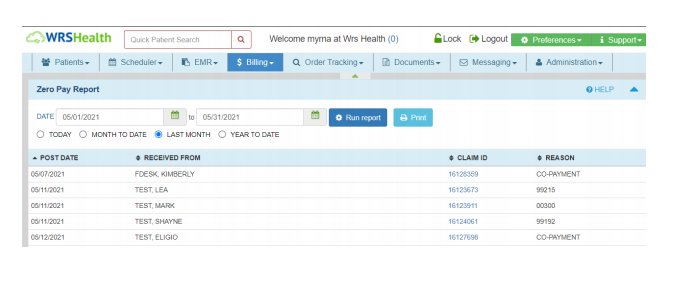
- Select a date range
- Select ‘Run Report’
NOTES
- A zero pay report provides a list of line items in the post payment screen that were closed without any payment posted.
- The Claim ID is a hyperlink, if clicked, this will lead to the post payment screen.