To: WRS Health Users
From: WRS Development Team
Date: 09/20/2023
Re: Update to File Sharing in Patient Messaging
Items in This Release
- Update to File Sharing in Patient Messaging
- Settings
Update to File Sharing in Patient Messaging
 Settings
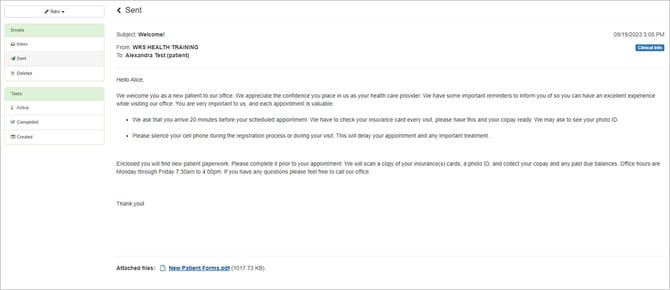
Practice users can now send documents and files to patients up to 25 MB per message. These attachments can be added in new messages as well as in replies. Users can attach multiple files, by selecting all files at once after clicking on choose files.
To access patient’s shared attachments, go to: Patient Management → Comments → Patient Shared Information.
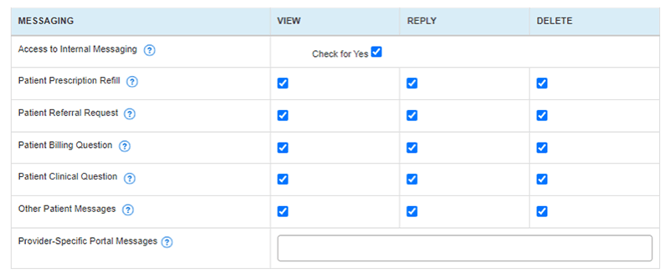
To use the messaging feature, the following setting must be enabled on a per – user basis:
- Access to internal messaging
- View, Reply, Delete
-
- Patient Prescription Refill
- Patient Referral Request
- Patient Billing Question
- Patient Clinical Question
- Other Patient Messages