
RESOURCE RESTRICTIONS
GO TO
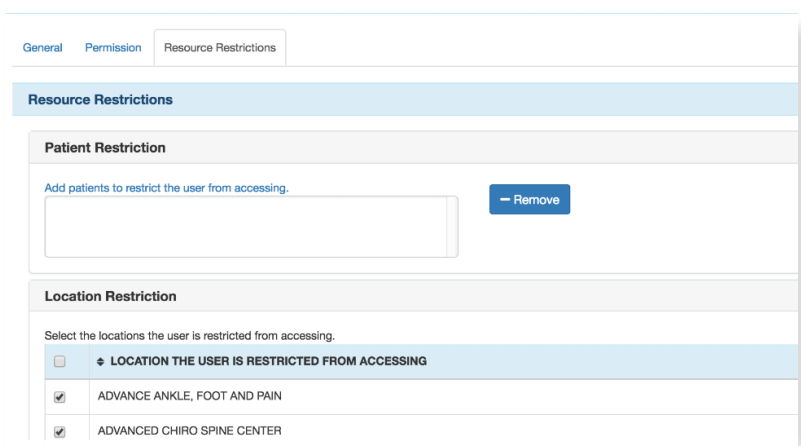
Administration → Resource Management → Resource Setup → Click on User’s Name → Resource Restrictions Tab
STEPS
Here you have the option to set:
- Patient: Here you can restrict a user from a specific patient(s)
- Location: Here you can restrict a user from a specific location(s)
- Time: Here you can restrict a user based on time – regarding system usage allowance
- Be sure to click Save Restrictions
NOTES
Save once restrictions are assigned.