
How to Set Up Patient Online Booking
Patient Book Online Setup
This functionality allows the patients to book an appointment online through the patient portal.
STEPS
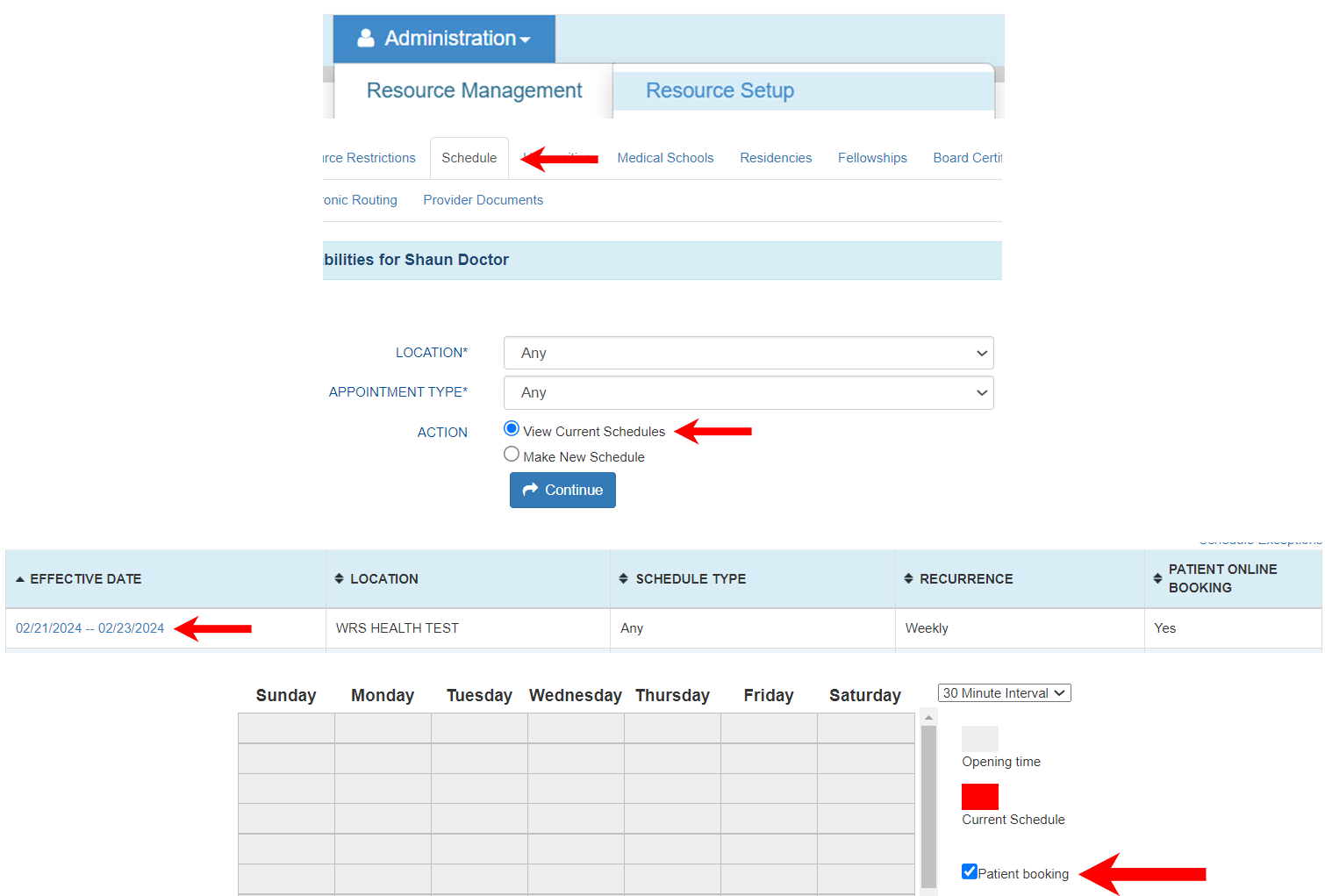
- Inside Doctor/Provider schedule: Make sure that the Patient Booking is selected.
Administration > Resource Setup > [Provider Name] > Schedule > View Current Schedules. Click on the schedule to edit, select the box for Patient Booking, and save.
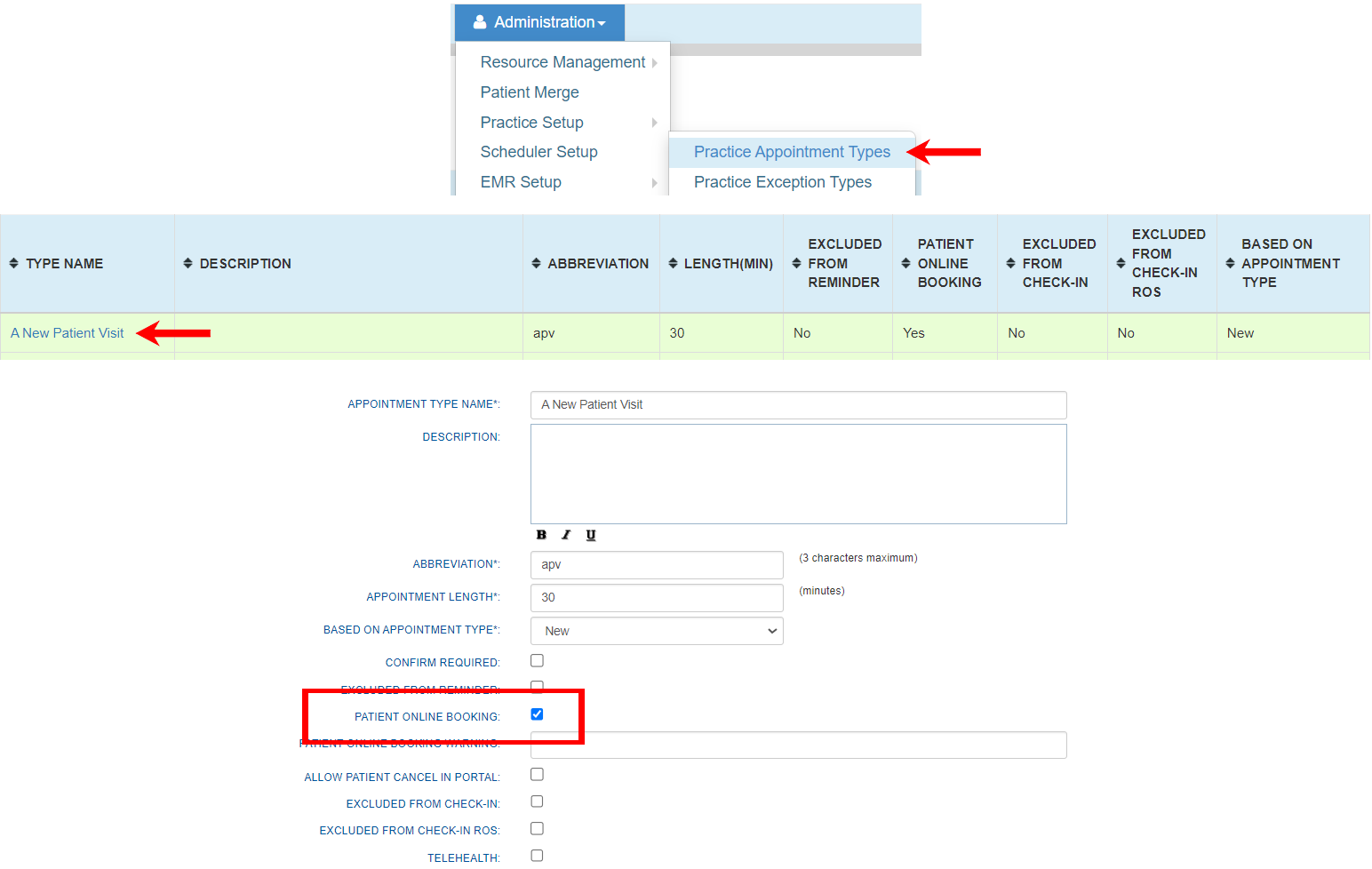
- Appointment Types: Check Patient online booking.
Administration > Schedule Setup > Practice Appointment Types > Click on the Appointment Type to edit, select the box for PATIENT BOOK ONLINE, and Save.
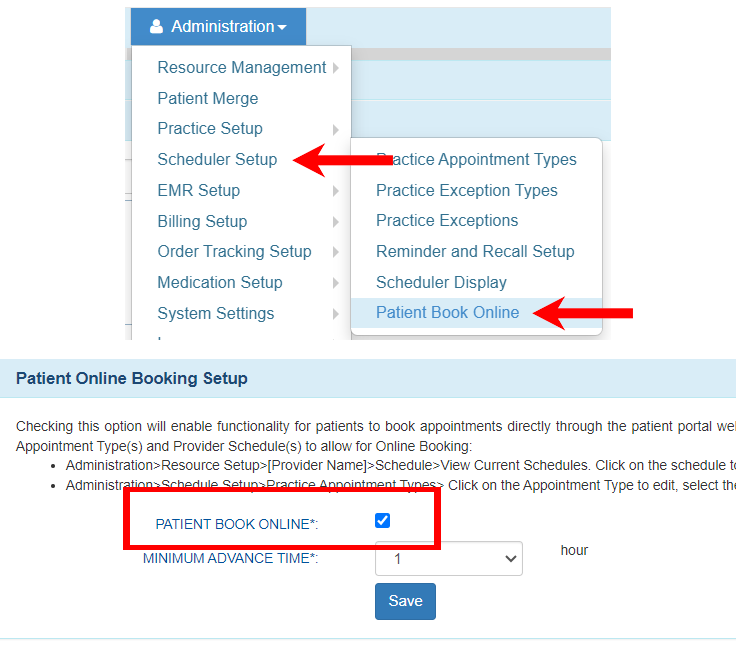
- Administration > Scheduler Setup > Patient Book Online: Select the PATIENT BOOK ONLINE box.
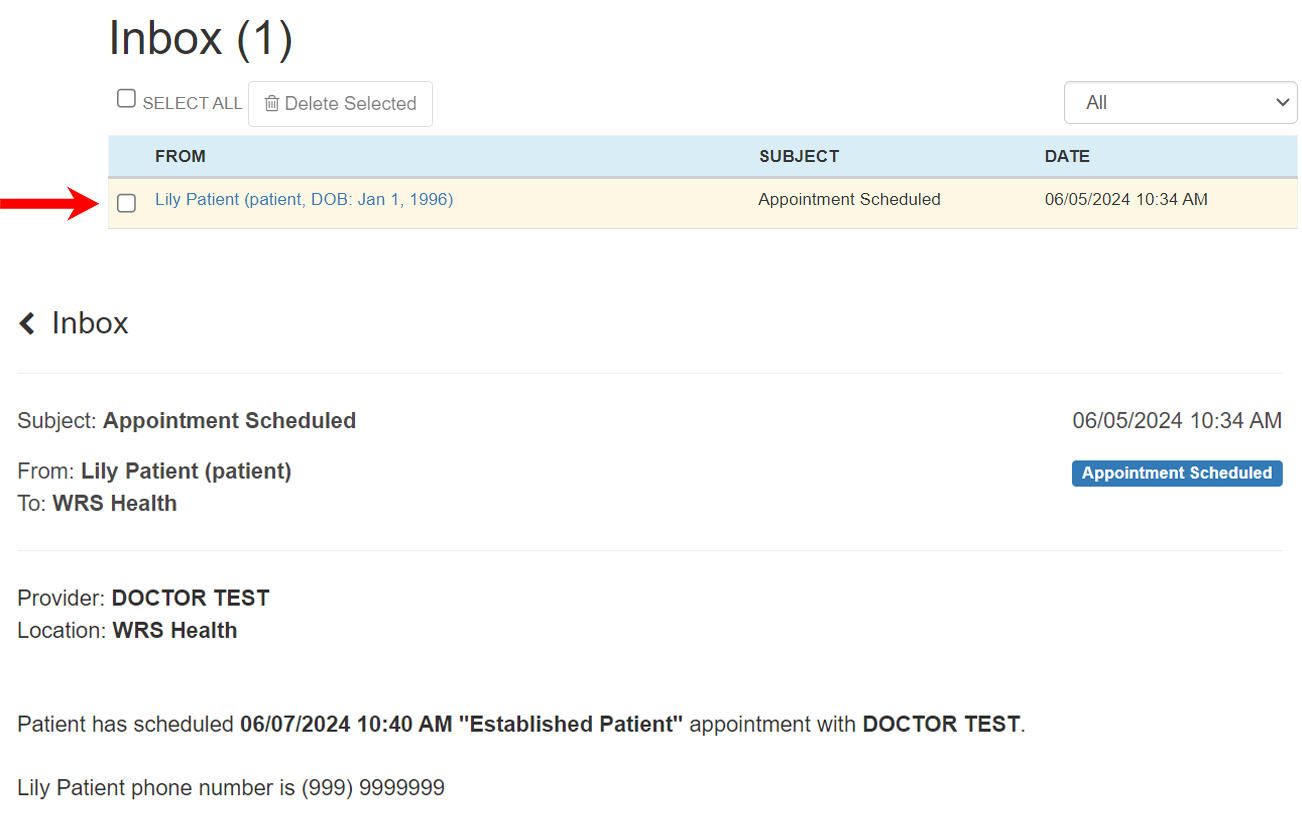
Appointment Request Notification
GO TO
Messaging Tab > Inbox.
STEPS
- Once the patient is done booking, you will be able to see the requested appointment in your Messaging tab > Inbox.
NOTES
- This will only be available if the practice requests for it to be available in the patients portal and we do not have a corresponding fee for this feature. However if practice does not want this feature then this one will be disabled.