Ordering Tests User Guide
GO TO
EMR Patient Note > Orders & Procedures Page.
STEPS
-
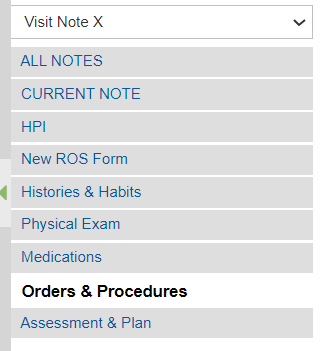
To create an Order, go to the Orders & Procedures Page.
-
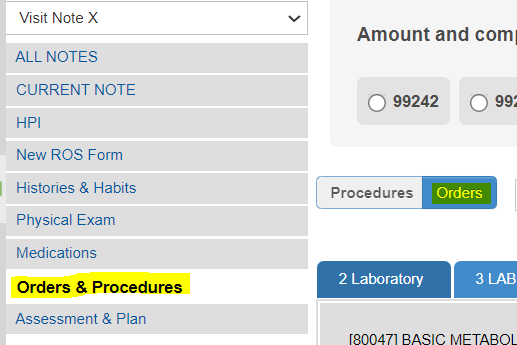
Make sure to toggle the Orders tab.
-
Select the CPT code in the Superbill Category.

-
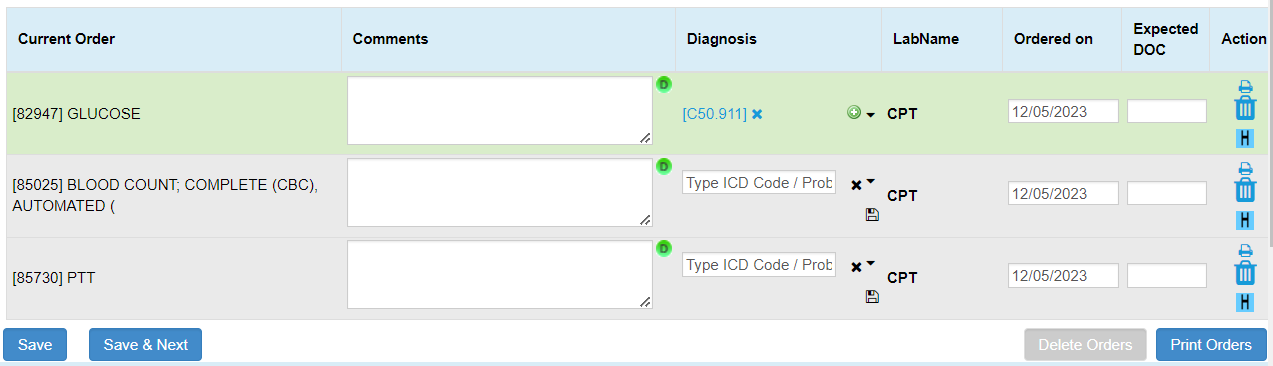
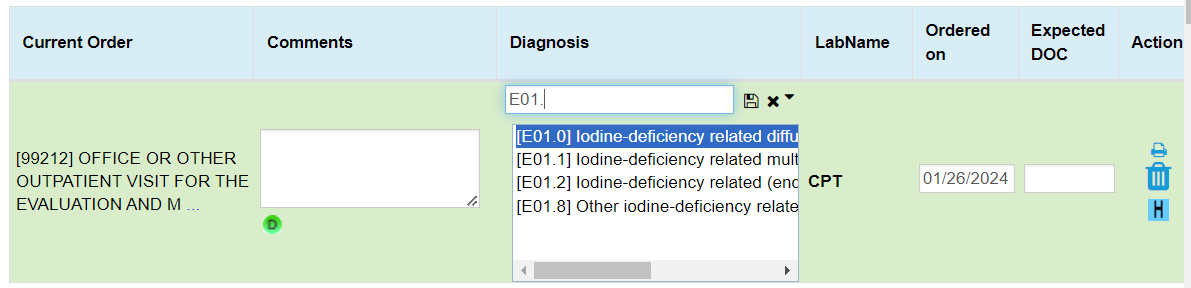
Selected CPT Codes will be reflected under the Current Order section.
-
Users can also add a Diagnosis under the Diagnosis column by either typing the ICD code or description and then selecting from the dropdown.
-
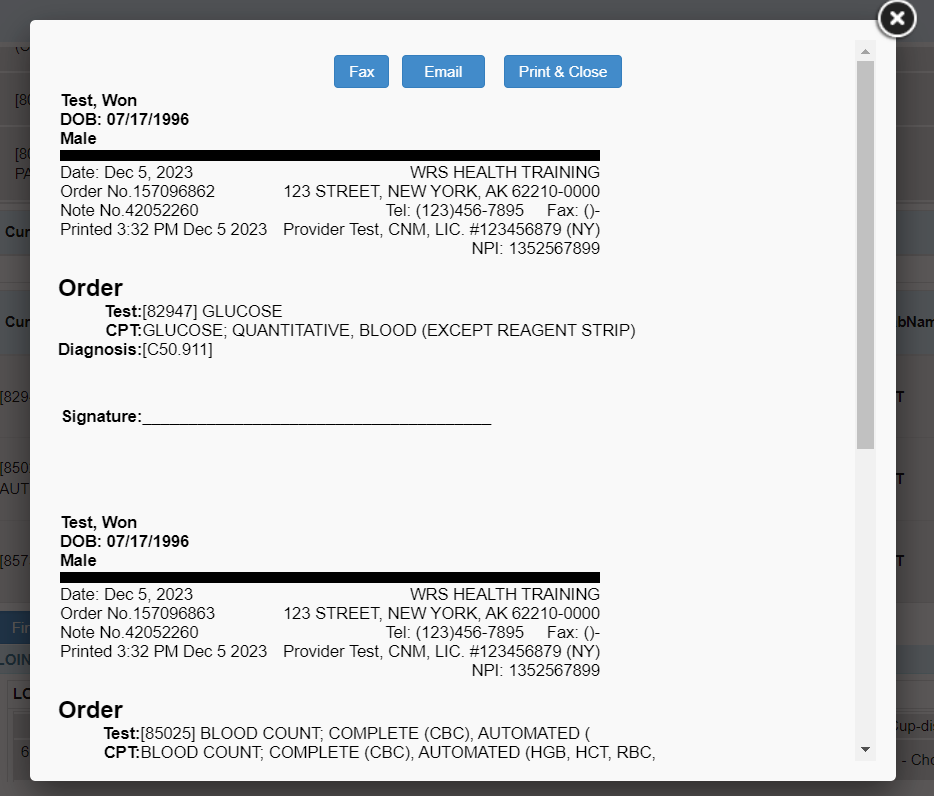
Select Print Orders, found on the Lower right side of the Current Order section.

A pop-up window will appear to preview the order list. Users will have the option to Fax, Email, and Print the Order.