
This walkthrough demonstrates how healthcare providers can customize their available note formats in the EHR system through the Preferences menu.
Users navigate to EMR Preferences and access My Preferred Note Formats to enable or disable specific documentation templates. Once configured, the selected note formats automatically appear in the Note Format dropdown when creating or editing patient notes, streamlining the documentation workflow.
Steps
-
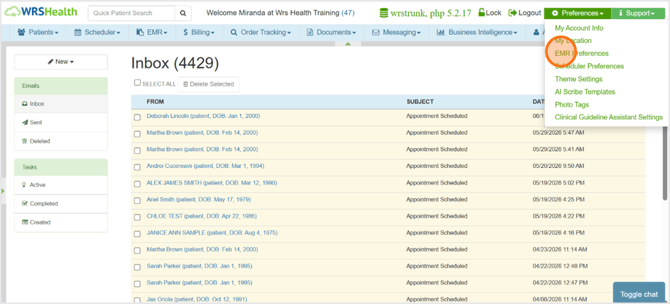
To open, go to Preferences > EMR Preferences.
-
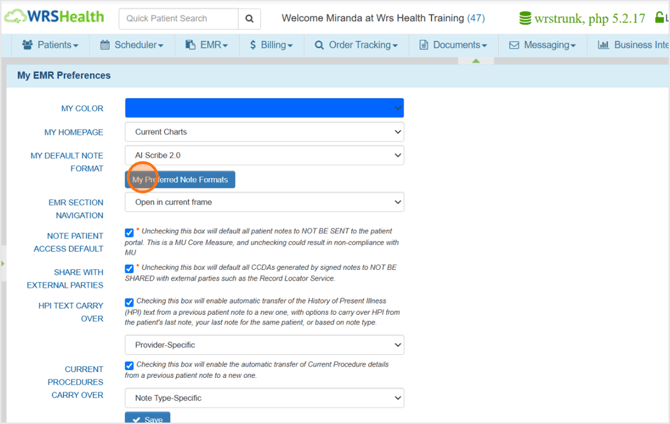
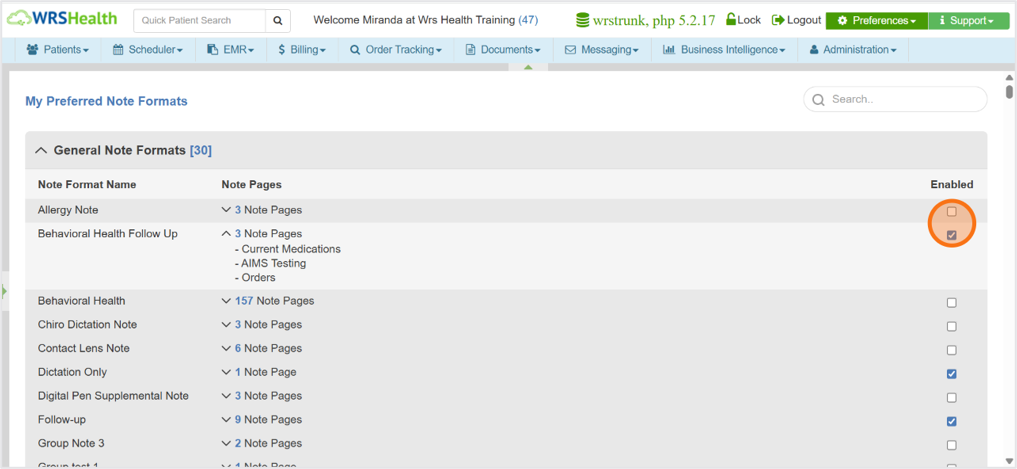
Click My Preferred Note Formats to customize which note formats are available whenever you create or edit a patient note.
-
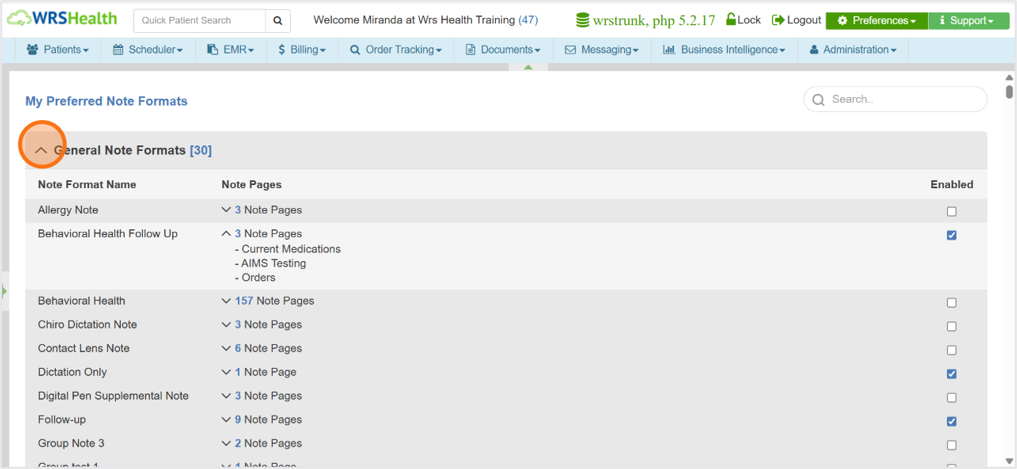
Note formats are organized and grouped per category. Collapse the panel of each category to view the available note formats.
-
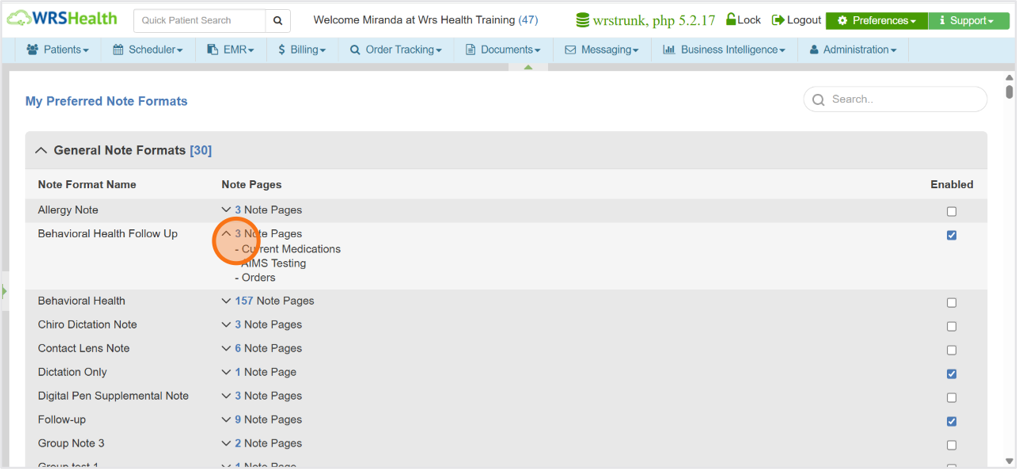
Each note format is composed of one or more note sections or pages. You can check it here before selecting the correct format.
-
Enable or disable note formats based on your documentation workflow and preferences.
-
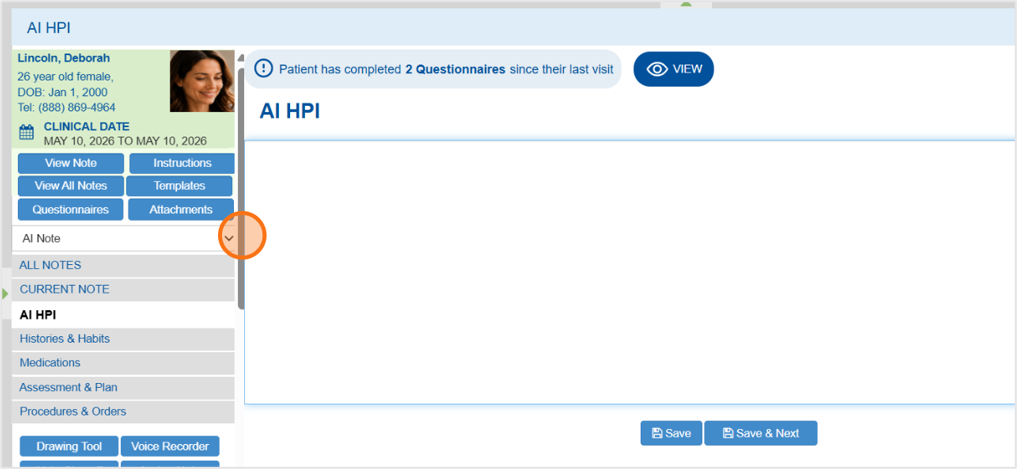
When a provider creates a new patient note, the Note Format dropdown is automatically populated with the note formats the provider has enabled in My Preferred Note Formats, allowing quick access to their preferred documentation templates.
For help and inquiry, contact your Account Manager.